Performance Max channel prioritisation: the complete UK ecommerce guide
Google is rolling out channel prioritisation and budget allocation controls from 15 October. What UK retail teams can set inside PMax, what they still can't, and the February 2027 date to diary.
For four years the standard complaint about Performance Max has been the same: one budget, every Google surface, and no way to say which mattered more to your business. On 14 October 2026, Google announced channel prioritisation and budget allocation — the first real channel-level lever inside PMax since channel-level spend reporting arrived.
For UK retail accounts heading into peak trading, the timing cuts both ways. You finally get a say in which channels are funded first, right at the moment when changing campaign settings feels riskiest. And because the new defaults are not neutral — every channel starts as High priority — doing nothing is also a decision.
This guide covers what the controls do, where they apply inside Performance Max specifically, when they bite and when they quietly do nothing, and the February 2027 migration that affects Search campaigns using the Display Network.
What did Google actually announce?
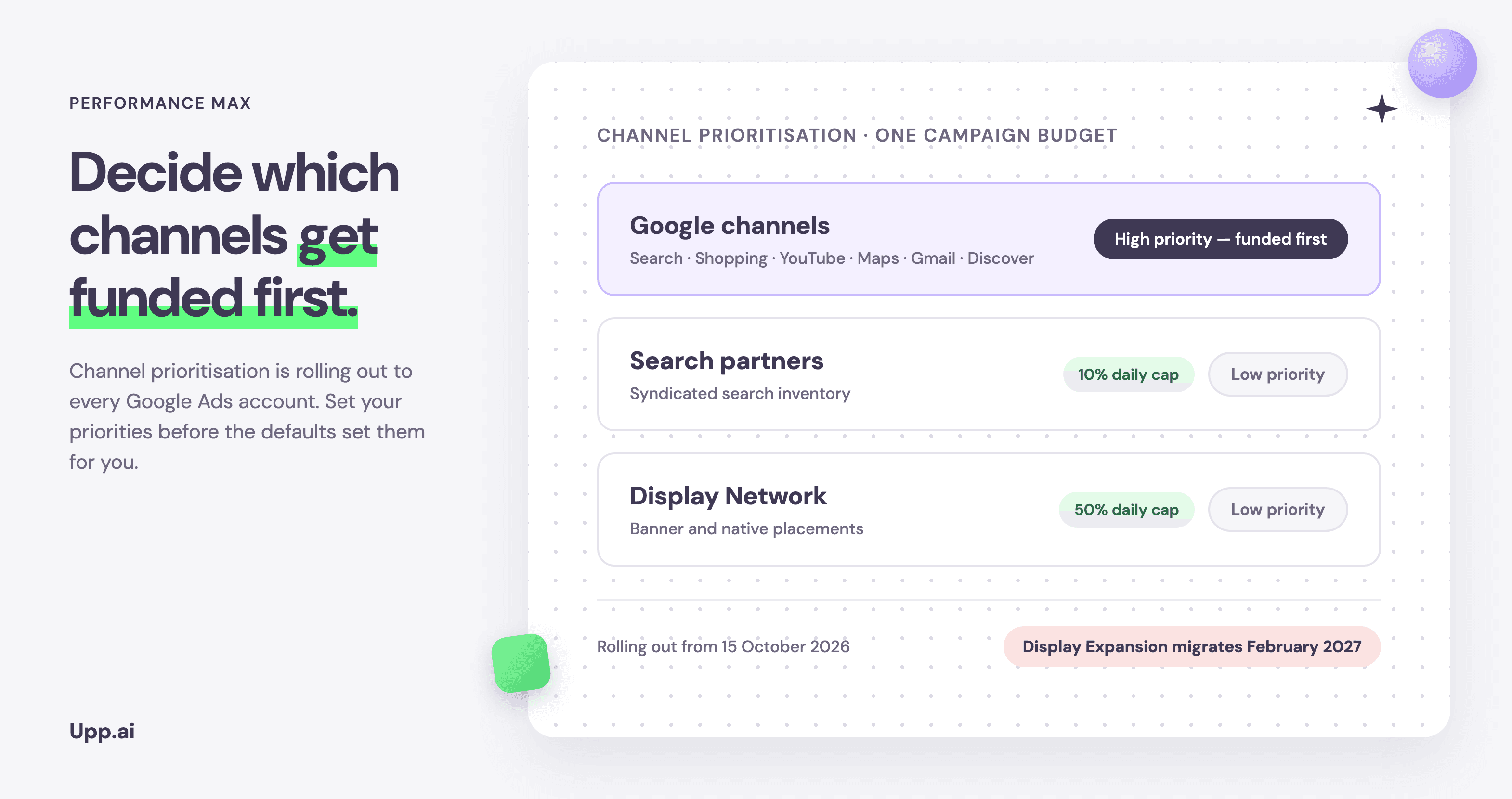
Two controls, which work together. The first is channel prioritisation: you mark each eligible channel as High priority or Low priority, at the account, shared-budget or campaign level. When a campaign is limited by budget, Google funds High priority channels first — within your target if you use Target CPA or Target ROAS — and only sends what remains to Low priority channels.
The second is budget allocation: on any channel you've set to Low priority, you can cap spend at a maximum percentage of the campaign's daily budget. Google describes the cap as best-effort — spend aims to stay within it, but on days when a campaign spends above its average daily budget, a channel can exceed its cap.
Both controls are optional, and both replace the old all-or-nothing choice. Accounts that opted out of Search partners or the Display Network years ago — most UK retail accounts, in our experience — can now re-admit those channels on a leash: Low priority, hard cap, measurable result.
How it works inside Performance Max
Performance Max gets the controls with one important constraint. Google's own surfaces — Search, Shopping, YouTube, Maps, Gmail and Discover — are grouped into a single tier called “Google channels” and prioritised together. You cannot promote Shopping above YouTube, or demote Display-style placements within Google's owned inventory. The channels you can separately control are Search partners and the Google Display Network.
That grouping matters for how much this announcement changes your PMax life. If your frustration was partner and Display inventory diluting a retail budget, you now have a precise lever. If your frustration was not being able to shift budget between Shopping and YouTube, the lever you want still doesn't exist — the nearest substitute remains campaign structure: separate campaigns for the intent you want to control separately.
When the controls bite, and when they quietly do nothing
The behaviour hinges on one question: is the campaign limited by budget? Prioritisation decides the funding order of channels when there isn't enough budget to go around. A campaign on Target ROAS that isn't spending its full budget doesn't have a funding-order problem — Google will aim at your target across all channels, and priority levels generally won't change how spend is distributed.
Channel prioritisation has no effect when your campaign isn't limited by budget, but any budget allocation you set still applies.
That second clause is the detail worth reading twice. The percentage cap on a Low priority channel holds whether or not the campaign is budget-limited. For a retail account that wants to test Search partners without letting the test eat the month, the cap — not the priority level — is the control doing the work.
Two limitations to note before you plan around the feature:
- Campaign total budgets: channel prioritisation doesn't apply to campaigns using total budgets, except on Demand Gen.
- Shared budgets: campaigns sharing a budget must be the same campaign type for prioritisation and allocation settings to apply.
Worked example: a £1,000 daily budget after prioritisation
The February 2027 deadline, decoded
The deadline in Google's announcement is narrower than some of the early coverage suggested, and it is not primarily a PMax deadline. From February 2027, Search campaigns that have the Google Display Network enabled lose the current Display Expansion behaviour: the old spend allocation set-up goes away, and advertisers may see a shift in channel spending.
Google's stated preservation route is specific: set the Display Network to Low priority with a 50% budget allocation, and your current configuration carries over. If you'd rather use the migration as the prompt to finally decide whether Display deserves the spend at all, the same screen gives you the off-ramp — a lower cap, or a deliberate re-test with a defined budget.
Either way, the audit is the same and it is worth running across every campaign type now, because the new defaults apply everywhere: every channel starts on High priority. An account that opted out of partners years ago, then recreated campaigns since, may be carrying channels it never consciously chose.
A five-step set-up for UK retail accounts
1. Pull channel-level spend and returns first
PMax channel-level reporting now shows where the budget actually goes. Before touching a priority setting, get the baseline: how much went to Search partners and Display last quarter, and what did it return? You cannot judge a 10% cap without knowing whether the channel currently takes 2% or 20%.
2. Give every channel a job description
High priority is for channels whose role is performance you'd defend to finance. Low priority is for channels whose role is a controlled test. If a channel has no job, the question isn't its priority level — it's why it has budget.
3. Set priorities to match the decision, not the history
The temptation is to encode the status quo: whatever spent before stays High. The better move is to set the configuration you would choose if you were building the account today, because the migration will eventually normalise everyone's legacy settings anyway.
4. Re-check pacing after two weeks
Caps are best-effort, peak-season demand is volatile, and the interaction between a budget-limited campaign and a capped channel is new behaviour for Google's bidding as well as for you. Watch channel-level spend for the first two weeks the way you'd watch a new campaign's learning phase.
5. Diary February 2027
Every Search campaign with Display Expansion needs a decision before the migration: preserve with the 50% cap, cut deeper, or switch Display off and fund it deliberately elsewhere. Fifteen minutes per campaign now beats a surprise spend shift in February.
More control, or more configuration?
Here is the uncomfortable arithmetic. This is the third significant control change Google has shipped for retail accounts in six months, after the August bidding change and September's AI Max migration. Each one is individually sensible. Collectively, they mean a typical UK retail account now carries priority tiers, allocation caps, bid targets and asset experiments that all need setting, monitoring and re-deciding as trading conditions move.
None of that configuration makes your spend more profitable by itself. What makes it profitable is the strategy the settings encode — which channels deserve funding first, at what return, with how much budget held for testing — and the discipline of keeping those settings true as demand shifts week by week. The teams that win Q4 won't be the ones with the most settings. They'll be the ones whose settings still mean something by December.
Frequently asked questions
What is channel prioritisation in Google Ads?
A control announced on 14 October 2026 that lets advertisers mark channels as High or Low priority at the account, shared-budget or campaign level. When a campaign is limited by budget, High priority channels are funded first; remaining budget flows to Low priority channels. It applies to Search, Shopping, Performance Max and Demand Gen campaigns, rolling out progressively from 15 October 2026.
Can I turn off YouTube or Display inside Performance Max?
Not individually. In PMax, Google's surfaces — Search, Shopping, YouTube, Maps, Gmail and Discover — are grouped as one “Google channels” tier. You can separately deprioritise and cap Search partners and the Google Display Network. For per-channel opt-outs, Google points advertisers to Search and Demand Gen campaigns.
What happens in February 2027?
Search campaigns with the Google Display Network enabled lose the current Display Expansion spend allocation and may see channel spend shift. To keep today's behaviour, set the Display Network to Low priority with a 50% budget allocation before the migration.
Do budget allocation caps guarantee spend stays under the cap?
No. Google describes the caps as best-effort: daily spend on a capped channel aims to stay within the limit but can exceed it, including on days when the campaign spends more than its average daily budget.
Does channel prioritisation work with Target CPA or Target ROAS?
Yes, but with a caveat: when a tCPA or tROAS campaign isn't limited by budget, priority levels generally don't change how spend is distributed, because the campaign aims at your target across all channels. Any budget allocation cap you set still applies.
Sources: Google's announcement of channel prioritisation and budget allocation (14 October 2026) and the Google Ads Help Centre explainer, October 2026. Figures in the worked example are illustrative.
Move your paid media to AI
Decide where PMax spends before the defaults decide for you. See how retail teams set the strategy and let Rubin execute inside it.
Keep reading
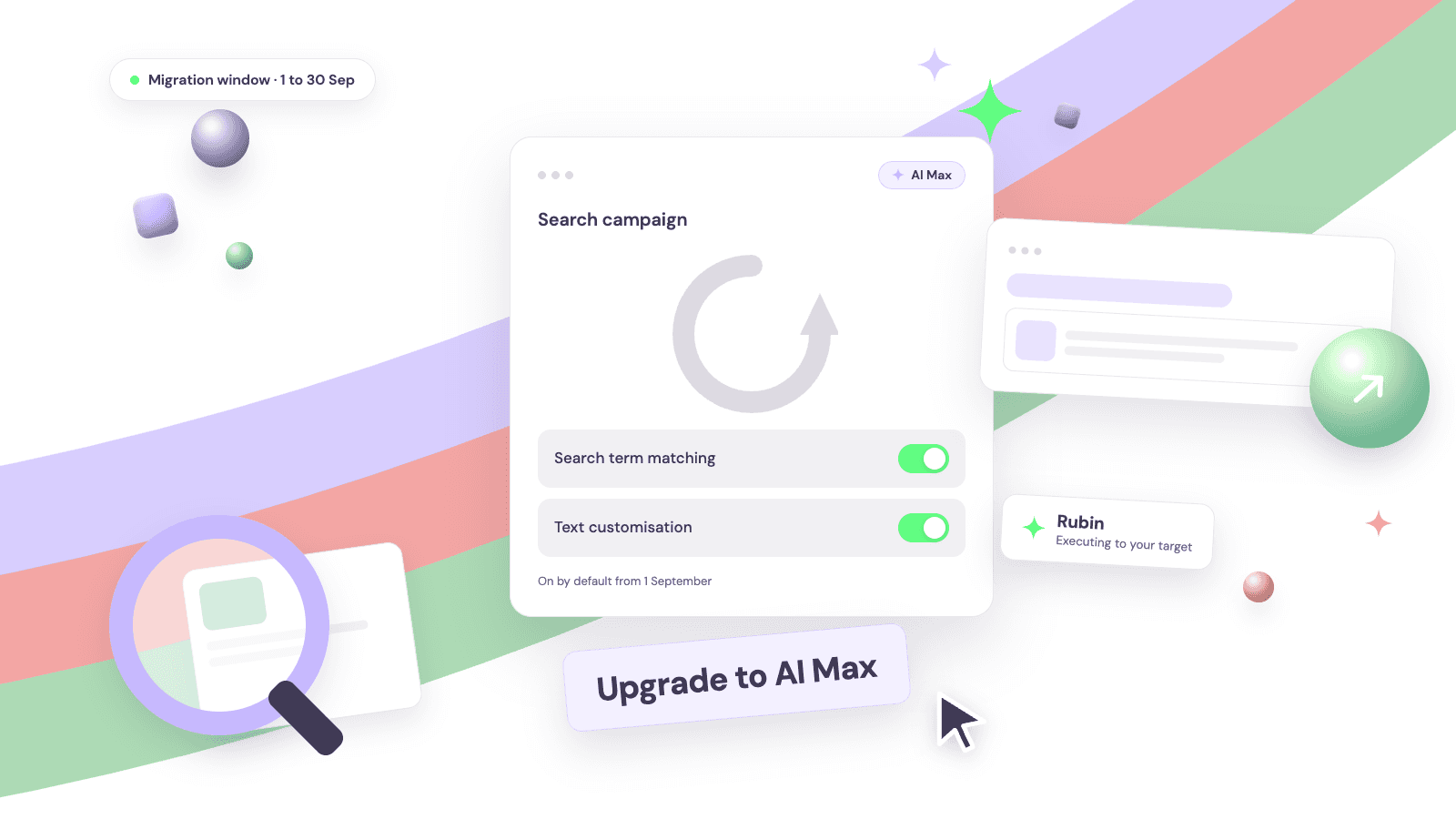
Google AI Max auto-upgrade: what changes on 1 September
Two Search features move into AI Max automatically between 1 and 30 September. What changes, which defaults switch on, and the checklist to run before the window opens.
Upp.ai insights team
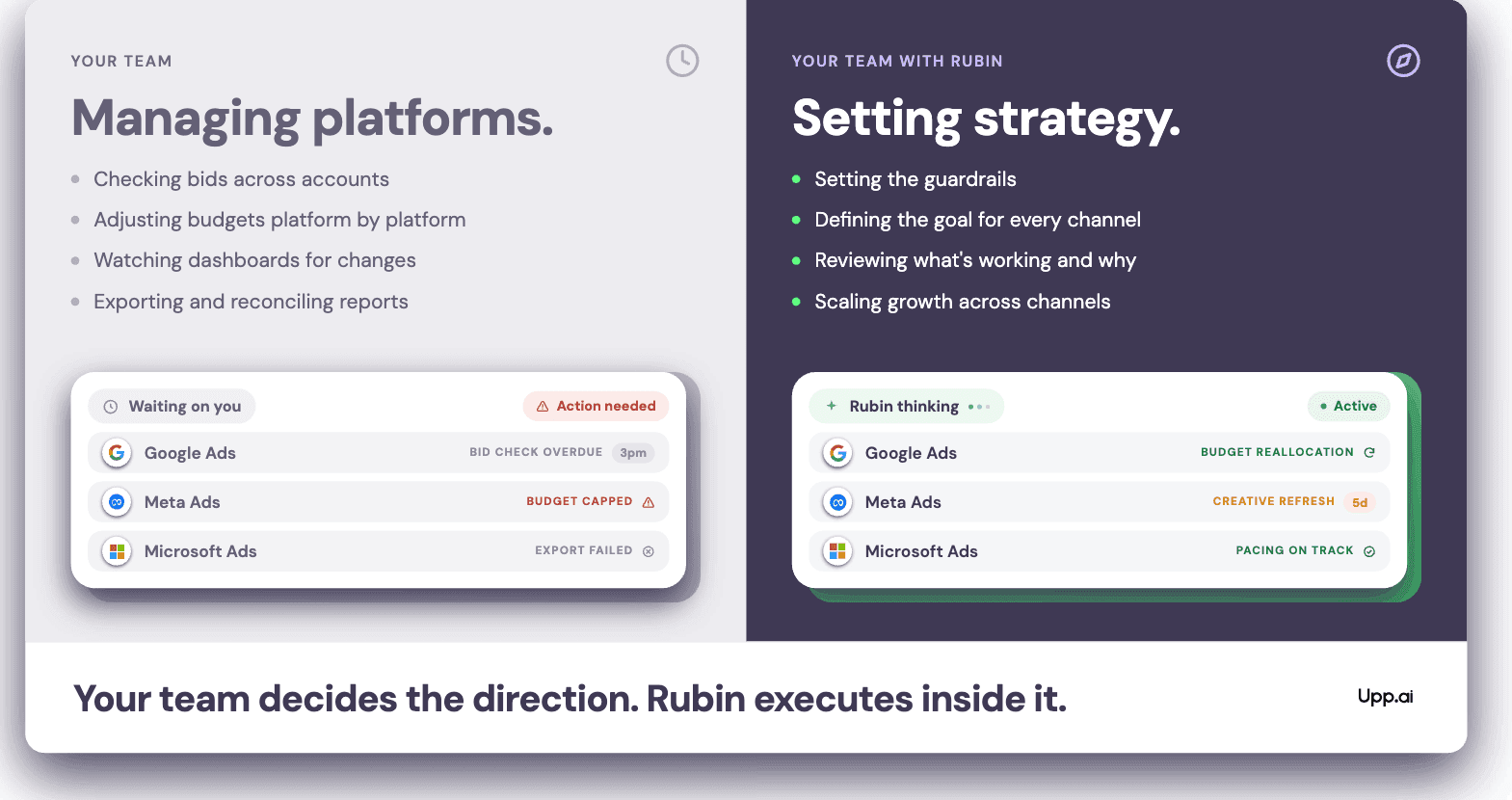
What is Microsoft PMax, and how is it different from Google's?
The same automation concept as Google's, with different inventory, less signal and its own pacing. Where the two differ and why they should be managed separately.
Upp.ai insights team
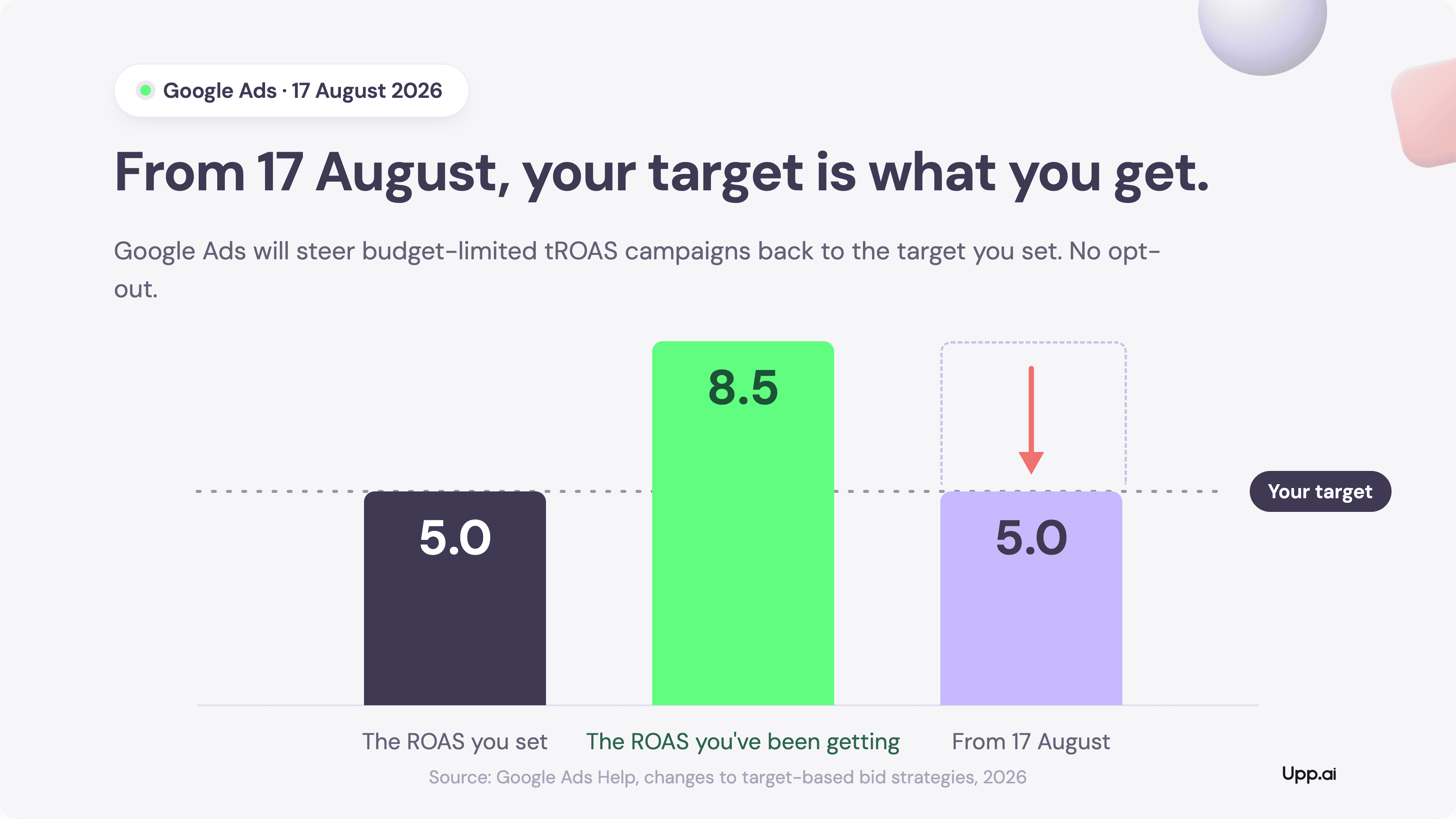
The 17 August bidding audit: is your outperformance strategy, or drift?
From 17 August, budget-limited campaigns on Target CPA and Target ROAS will deliver the number you typed, not the number you got used to. More configuration work has just landed on every media team. The winners will treat it as strategy.
Upp.ai insights team