Google AI Max auto-upgrade: what changes on 1 September
Two Search features move into AI Max automatically between 1 and 30 September. What changes, which defaults switch on, and the checklist to run before the window opens.
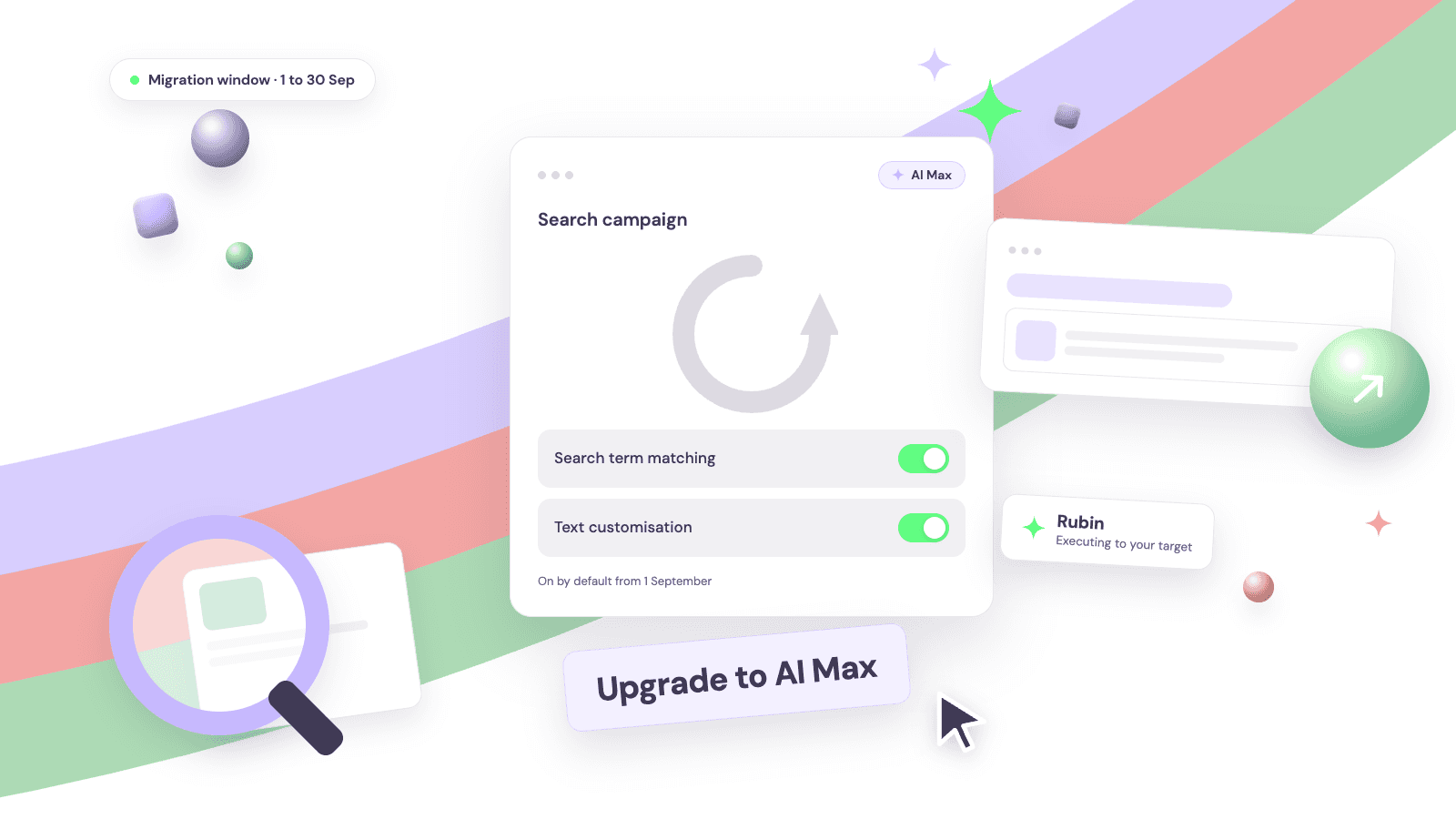
From 1 September, Google Ads starts auto-upgrading two Search features into AI Max. The migration window runs to 30 September, campaigns move in place, and the new settings arrive switched on by default. Most teams will not see a launch moment. They will notice later, once the defaults are already live.
This guide covers what actually changes in the auto-upgrade, why the reaction has been sharp, and the checklist to run before the window opens. Read the defaults, not the headlines.
Your pre-September checklist
Five steps, in order. Most accounts can clear them in an afternoon.
- List every campaign using ACA or campaign-level broad match. These are the ones that migrate.
- Decide per campaign: migrate on purpose, or opt out. Legacy feature off, or AI Max on manually with the toggles you want.
- Re-confirm brand inclusions and exclusions before the move. They carry over, but this is the moment to check they are right.
- Set the target the business needs now, not last quarter's default.
- Baseline your search terms report today, so you can read the after against a clean before.
What changes on 1 September
Two features migrate automatically, each with its own defaults.
Automatically Created Assets
Campaigns using ACA move to AI Max with search term matching and text customisation both on by default. Text customisation generates new headlines and descriptions from your landing pages and existing assets, so the ad served can differ from the ad you wrote.
Campaign-level broad match
Campaigns using campaign-level broad match move to AI Max with search term matching on by default. Search term matching reaches beyond your keyword list, matching queries on intent rather than keyword, much as Performance Max already does.
Both migrate in place. Brand inclusions and exclusions carry over, and budgets and bid strategies are untouched. Opting out is manual: turn the legacy feature off before the migration reaches your account, or enable AI Max yourself and set each toggle deliberately. Doing nothing is also a decision. It is just not yours.
Why it lands the way it does
The upgrade itself is not the story. The defaults are. An account can start serving against net-new queries, with rewritten ad copy, without anyone on the team touching a setting.
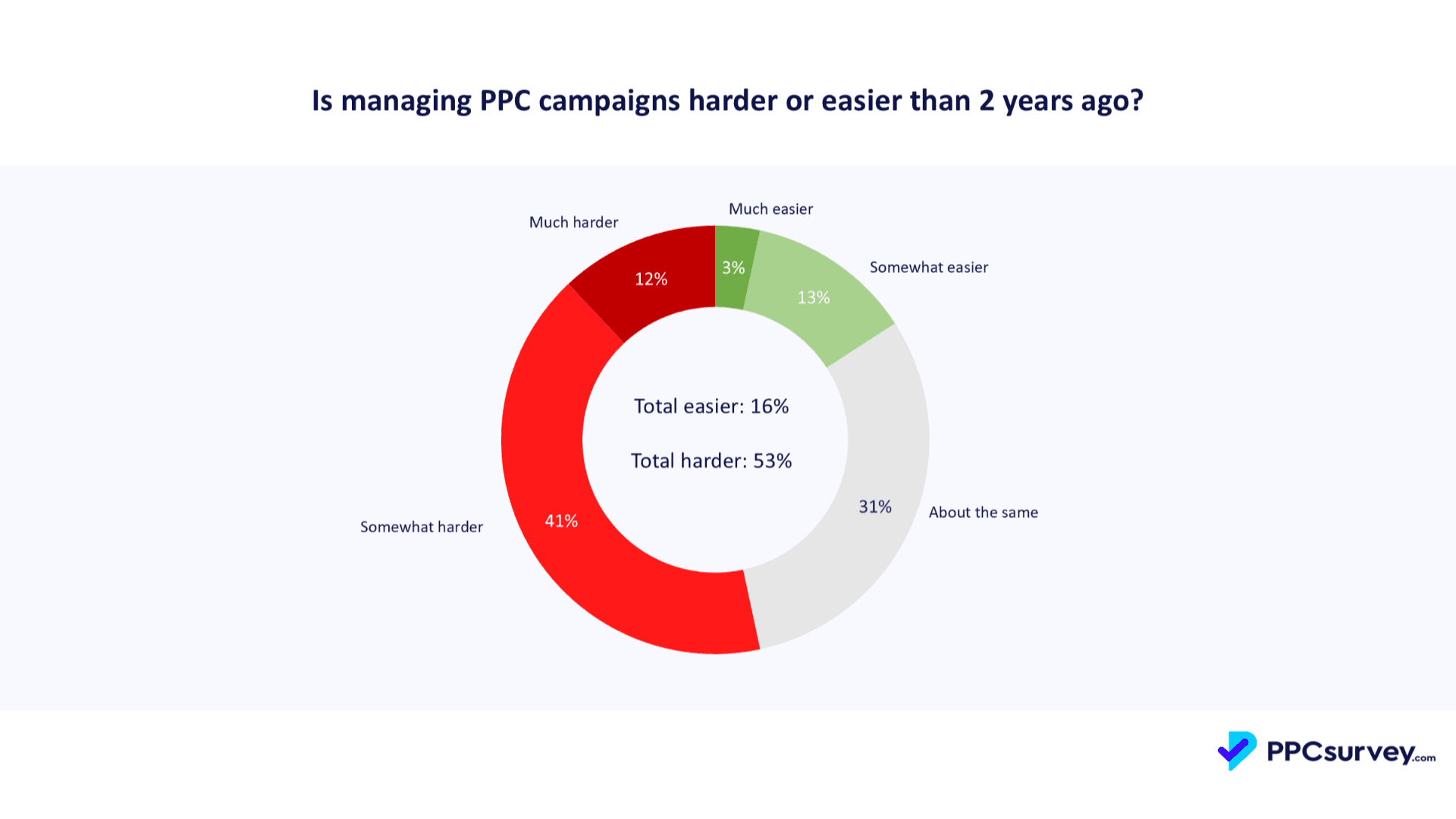
That lands on an industry already stretched. In the State of PPC 2026 survey, 53% of advertisers say Google Ads is harder to manage than two years ago, and 62% say the platforms make decisions they cannot manually override (1,306 respondents, ppcsurvey.com).
The reaction is not about bad faith. It is about losing sight of the levers: which queries you match, what the ad says, and what the campaign optimises towards. Each migration moves one more of those from explicit choice to default.
A forcing function, not a trick
There is a more useful way to read the deadline. A default changing is a prompt to step back and ask the question the old setup let you skip: what return does the business actually need this campaign to deliver?
The machine executes to the target. Deciding the target, and mapping it to a commercial goal, is the strategist's call. Handled that way, the auto-upgrade is a forcing function, not a trick, and the job description gets bigger, not smaller.
Where Rubin Deploy fits
AI Max raises the ceiling on execution and widens what a campaign can match. The trade is visibility, and it is only manageable if something is reading the outcomes continuously.
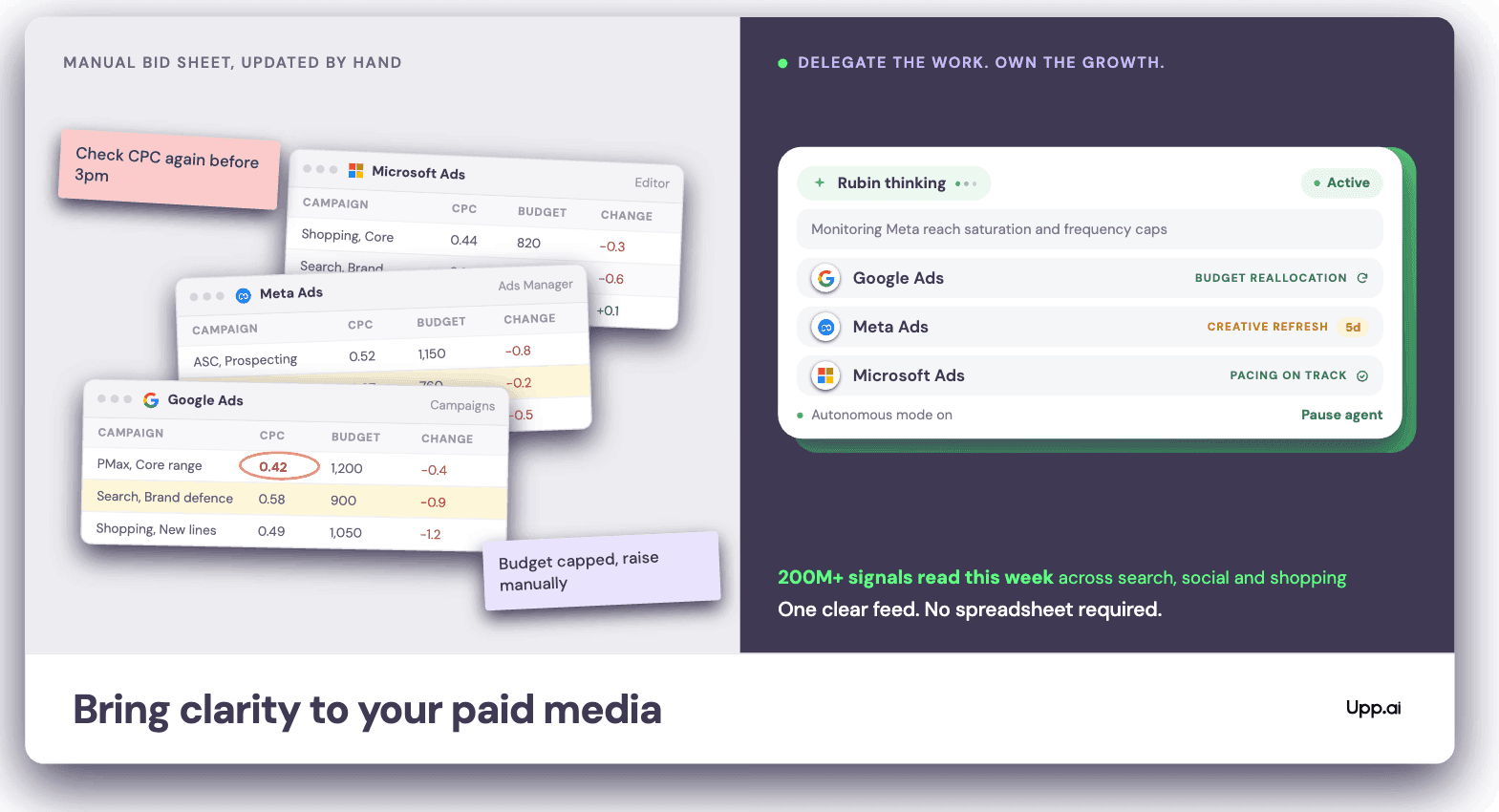
Rubin Deploy, built on the Rubin model, executes AI campaign types across Google, Meta and Microsoft against the targets your team sets. Through a migration like this one, that means per-campaign targets tied to a commercial goal, brand inclusions and exclusions held as guardrails, and search term movement read daily rather than at the quarterly review.
Your team decides what September needs to deliver. Rubin executes to it, and shows its working, so you can spend the migration window on strategy rather than settings. See how Rubin Deploy works.
Frequently asked questions
Which campaigns are auto-upgraded to AI Max?
Search campaigns using Automatically Created Assets or campaign-level broad match. ACA campaigns arrive with search term matching and text customisation on by default; broad match campaigns arrive with search term matching on by default.
When does the AI Max auto-upgrade happen?
The migration window runs from 1 to 30 September 2026. Campaigns migrate in place during the window, not all on day one.
Can I opt out of the auto-upgrade?
Yes. Turn the legacy feature off before the migration reaches your account, or enable AI Max yourself and set search term matching and text customisation deliberately.
Do brand inclusions and exclusions carry over?
They carry over unchanged. Re-confirm them before the move, and baseline your search terms report so you can compare matching behaviour after the upgrade.
Move your paid media to AI
See how Upp.ai helps your team run paid media with AI, so you can focus on strategy.
Keep reading
The 17 August bidding audit: is your outperformance strategy, or drift?
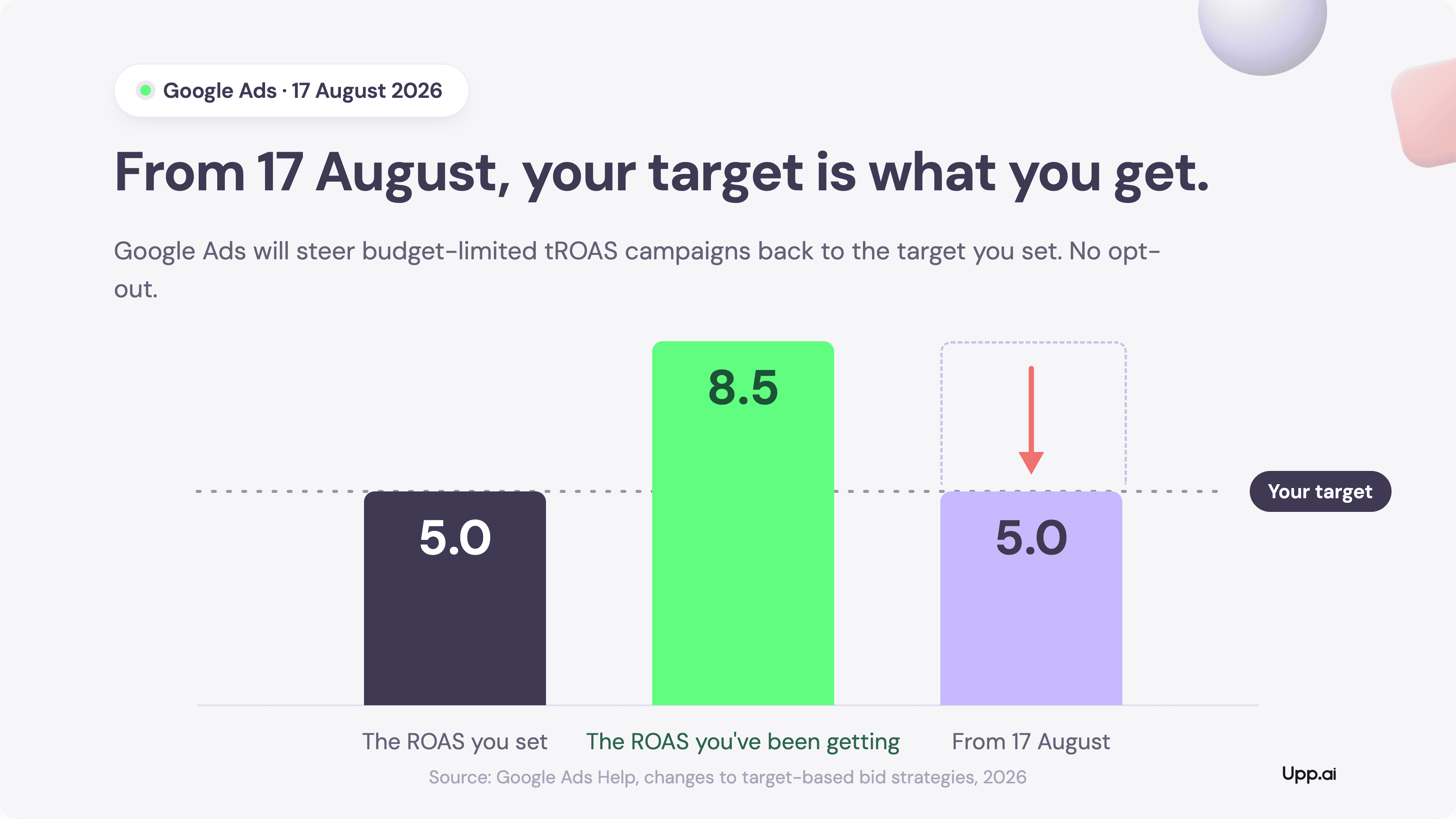
From 17 August, budget-limited campaigns on Target CPA and Target ROAS will deliver the number you typed, not the number you got used to. More configuration work has just landed on every media team. The winners will treat it as strategy.
Upp.ai insights team
The State of PPC 2026: control is now the scarcest resource in paid media
Global ad spend crossed $1 trillion in 2025. The 1,306 professionals behind the industry's largest survey say the work has never been harder to control, or to prove. Here is what the data actually says, and what the strongest teams are doing about it.
Upp.ai insights team
Why the paid media market moves faster than teams can react
53% of PPC professionals say the job is harder than it was two years ago. The reason is not a skills gap: purchase intent now forms across more surfaces than any team can watch.
Upp.ai insights team